






1. Introduction
In the world of stage lighting, few topics generate as much confusion—and debate—as the difference between DMX and RDM. Whether you’re a lighting technician, event planner, or system integrator, choosing the right control protocol can dramatically impact the efficiency, flexibility, and stability of your setup.
DMX512 has long been the industry standard for controlling stage lighting fixtures, known for its simplicity and reliability. On the other hand, RDM (Remote Device Management) builds on DMX, adding two-way communication to a traditionally one-way protocol.
But do you need RDM for your project? Can you mix the two in a single system? What are the risks if you don’t understand the difference?
This article will walk you through everything you need to know about DMX vs RDM, including how each works, where they shine, where they fail, and how to choose between them—backed by real-world use cases, professional tips, and best practices from the field.
2. What is DMX512?

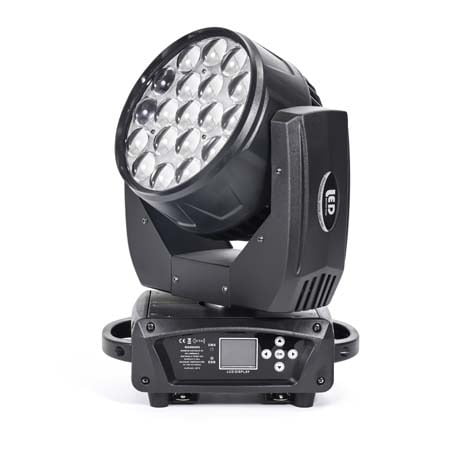
DMX512, short for Digital Multiplex, is a standardized digital communication protocol developed in 1986 by the USITT (United States Institute for Theatre Technology). It was originally created to unify the control of dimmers in theatrical productions but has since become the global standard for controlling stage lighting fixtures, including moving heads, LED pars, strobes, and effects machines.
At its core, DMX is a one-way signal that sends data from a controller (like a lighting console) to multiple devices across a daisy-chained line. A single DMX “universe” can transmit 512 channels, with each channel capable of controlling one aspect of a fixture—such as pan, tilt, dimming, or color.
Because of its simplicity, low cost, and widespread compatibility, DMX is the go-to protocol for:
Small to large event productions
Nightclubs and theaters
Touring rigs and rental setups
Architectural lighting installations
However, DMX has limitations:
No feedback: You can’t verify if a fixture received the command
Manual addressing: Each fixture must be configured by hand
No auto-discovery or diagnostics
Despite these drawbacks, DMX remains a reliable workhorse in the lighting industry. Understanding its capabilities—and its boundaries—is the first step toward building a robust lighting control system.
3. What is RDM?

RDM, or Remote Device Management, is a bidirectional communication protocol that extends the standard DMX512 signal. Introduced as ANSI E1.20, RDM allows lighting controllers to send and receive data from connected fixtures over the same DMX cable—without interfering with normal DMX signal flow.
While traditional DMX is a broadcast-only system (you tell the light what to do, but never hear back), RDM introduces a two-way conversation. This enables a host of powerful features that streamline installation, maintenance, and troubleshooting.
Key features of RDM include:

Remote Addressing: Assign DMX addresses without manually configuring each fixture
Auto Device Discovery: Instantly detect connected lights and their capabilities
Status Monitoring: Get live feedback on temperature, signal loss, errors, and more
Firmware Management: Some RDM-compatible lights support remote updates or reboots
RDM is especially valuable in large-scale systems such as theaters, theme parks, architectural installations, and corporate venues—where reaching every fixture physically is impractical or time-consuming.
However, RDM requires that both controller and fixtures support the protocol, and not all DMX splitters or wireless transmitters are compatible.
In short, RDM makes smart lighting control smarter, but it introduces complexity and compatibility considerations that must be carefully managed.
4. DMX vs RDM: Feature-by-Feature Comparison
While both DMX and RDM operate over the same physical infrastructure and cable type (typically 5-pin XLR), they offer vastly different functionalities. The key distinction lies in communication direction: DMX is one-way, while RDM enables two-way data flow. This core difference creates ripple effects across setup, monitoring, and system scalability.
Below is a side-by-side breakdown of the most critical features:
| Feature | DMX512 | RDM |
|---|---|---|
| Communication | One-way (Controller → Fixture) | Two-way (Controller ⇄ Fixture) |
| Device Addressing | Manual | Remote (via controller) |
| Auto Discovery | Not supported | Fully supported |
| Error Feedback | None | Real-time diagnostics available |
| Fixture Monitoring | Not possible | Yes – temperature, signal loss, etc. |
| Cable Type | Standard DMX cable | Same as DMX (with RDM-compatible gear) |
| Compatibility | Universally supported | Limited to RDM-compatible devices |
| Setup Time | Manual setup per fixture | Faster for large installations |
| Best Use Cases | Small to mid-sized shows, where reliability is key | Complex systems needing remote management & fast deployment |
Summary Insight
If your workflow is simple and fixed, DMX remains reliable and efficient.
If your setup involves frequent changes, distant fixtures, or advanced diagnostics, RDM offers significant long-term advantages.
Still, remember: RDM is not a replacement, but a complement to DMX—designed to enhance, not eliminate, traditional control protocols.
5. When to Use Each Protocol
Choosing between DMX512 and RDM isn’t a matter of picking the “better” protocol—it’s about selecting the right tool for the scale, environment, and operational complexity of your project.
When DMX Is the Better Choice

DMX remains a rock-solid choice in the following scenarios:
Simple, compact setups – such as small stages, mobile DJ rigs, or single-room installations
Tight budgets – DMX devices are generally more affordable and widely available
Environments with minimal configuration needs – where fixtures are permanently installed and seldom updated
Retrofit projects – where existing infrastructure supports only DMX
Because DMX is universally compatible, easy to set up, and extremely stable, it continues to serve as the backbone of most small-to-mid production systems.
When RDM Makes More Sense

RDM shines when scale, speed, and visibility matter:
Large venues – theaters, cruise ships, museums, churches with dozens or hundreds of fixtures
Frequent reconfiguration – rental companies, touring shows, theme parks, or festivals
Limited physical access – when fixtures are mounted high, hidden, or embedded in architecture
Diagnostics and maintenance – need real-time alerts, temperature monitoring, or remote fixture testing
Future-ready systems – when planning to scale or integrate with building automation
If you value data feedback, remote control, and smart automation, RDM can dramatically reduce setup time and improve system resilience—especially when paired with compatible splitters and controllers.
6. Compatibility & Setup Tips
Transitioning from a basic DMX system to an RDM-capable setup—or mixing both—requires careful attention to hardware compatibility and network integrity. While DMX and RDM share the same physical cables and connectors, not all gear handles RDM traffic correctly.
What You Need to Know

1. Not All Devices Are RDM-Compatible
Just because a fixture uses DMX doesn’t mean it supports RDM. Always check the manufacturer’s datasheet for “RDM-enabled” or “RDM-supported” labels. The same goes for:
Controllers (consoles/software)
DMX splitters
Wireless DMX transmitters/receivers
If any device in your signal chain doesn’t support RDM, it can block or corrupt the two-way communication—even though DMX control may still work.
2. Use RDM-Compatible Splitters and Nodes
Standard DMX splitters may suppress RDM traffic. Make sure you use RDM-capable opto-splitters or nodes, especially if you’re segmenting your system into multiple lines or universes.
3. Check for Signal Integrity
Two-way communication is more sensitive to cabling issues. To avoid glitches:
Use DMX-compliant cable (not microphone cable)
Add proper termination resistors
Keep cable runs within the 300-meter standard
4. Manage RDM Traffic Wisely
In large systems, excessive RDM polling (like constant device querying) can slow down DMX responsiveness. Most controllers allow you to configure how often RDM messages are sent—or to disable RDM temporarily when not needed.
If you run both RDM and non-RDM zones in your setup, labeling cables and ports is essential. This avoids costly confusion during live events or system expansion.
7. Troubleshooting Tips for Mixed Environments
Working with both DMX and RDM systems in the same lighting network is increasingly common—but it can also create unpredictable behavior if not properly managed. Mixed environments introduce challenges in signal integrity, device compatibility, and protocol interference.
Common Issues and How to Solve Them

1. Fixtures Not Responding to RDM
This often happens when:
The fixture doesn’t support RDM (check documentation)
The DMX splitter in use is not RDM-compatible
There’s a bad cable or faulty connector in the chain
Solution: Isolate the fixture, connect directly to the controller with a short verified cable, and re-test.
2. DMX Dropouts or Flickering When Using RDM
This typically indicates:
Signal congestion due to constant RDM polling
Incompatible or legacy DMX devices choking the return signal
RDM data confusing older wireless DMX units
Solution: Reduce RDM polling frequency via the controller. In large systems, segment RDM and DMX-only fixtures with compatible splitters.
3. Address Conflicts or Ghost Fixtures
Sometimes RDM discovery picks up phantom devices or assigns duplicate addresses.
Solution: Use your controller’s “identify” or “blink” function to verify real devices. Reset and readdress fixtures manually when in doubt.
4. Firmware Mismatch
Different firmware versions in fixtures or controllers can cause unexpected RDM behavior.
Solution: Update all gear to the latest stable firmware and consult vendor release notes for known issues.
Pro Tip: Use an RDM Sniffer Tool
For complex rigs, an RDM diagnostic tool (hardware or software-based) can monitor traffic, list active devices, show responses, and reveal bottlenecks—similar to Wireshark for networks.
8.FAQs About DMX and RDM
What does DMX mean in stage lighting?
DMX512 is a digital communication protocol used to control lighting and special effects equipment. It transmits data in one direction—from a controller to connected devices—using a 5-pin or 3-pin XLR cable. It’s the industry standard for lighting control in concerts, theaters, and architectural lighting.
What is the difference between DMX and RDM?
DMX is a one-way protocol, sending control data to fixtures. RDM (Remote Device Management) is a two-way extension of DMX that allows feedback from fixtures, enabling features like remote addressing, status monitoring, and device configuration—all without interrupting DMX signals.
Can you use DMX and RDM together?
Yes, but all components in the signal chain—controllers, splitters, and fixtures—must be RDM-compatible for full functionality. Non-compatible devices may block RDM traffic, so mixing should be done with careful planning and proper hardware selection.
Is RDM necessary for small lighting systems?
Not always. For basic systems with few fixtures or stable installations, DMX alone is sufficient. RDM shines in larger or dynamic setups where frequent changes or diagnostics are needed. It reduces manual labor and improves system visibility.
Do all lighting controllers support RDM?
No. Many basic or older lighting consoles only support DMX. To utilize RDM, your controller must explicitly support RDM protocol. Always verify compatibility with your fixtures and accessories before building your system.
8. Final Thoughts: Choosing the Right Protocol with Confidence
Understanding the core differences between DMX and RDM isn’t just a technical exercise—it’s about making smarter choices that impact your setup time, your maintenance workflow, and ultimately, your lighting performance on show day.
DMX512 has stood the test of time. It’s reliable, simple, and still the default language of the entertainment lighting world. For many installations, that’s all you need.
But RDM opens a new level of control and efficiency. For professionals managing large-scale systems, mobile installations, or frequent reconfigurations, RDM offers long-term gains in flexibility, visibility, and remote management. Yes, it requires compatible hardware and thoughtful design—but the payoff in saved labor and real-time insight is worth it.
In today’s increasingly connected lighting ecosystems, knowledge of both protocols is non-negotiable. Whether you’re a lighting designer, system integrator, or venue technician, being fluent in DMX and RDM is part of being a true lighting professional.
Ready to Upgrade?
If you’re building or upgrading your lighting system, talk to suppliers who truly understand DMX and RDM. Choose fixtures and controllers with verified RDM support, and always plan your network to allow future scaling.



 EN
EN  ES
ES  PT
PT  DE
DE  FR
FR  KO
KO  JA
JA  RU
RU  AR
AR  IT
IT  TR
TR  MS
MS  ID
ID  VI
VI  TH
TH  HI
HI  BN
BN  ZH
ZH