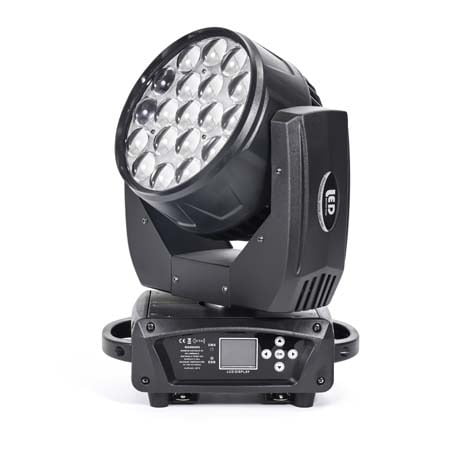


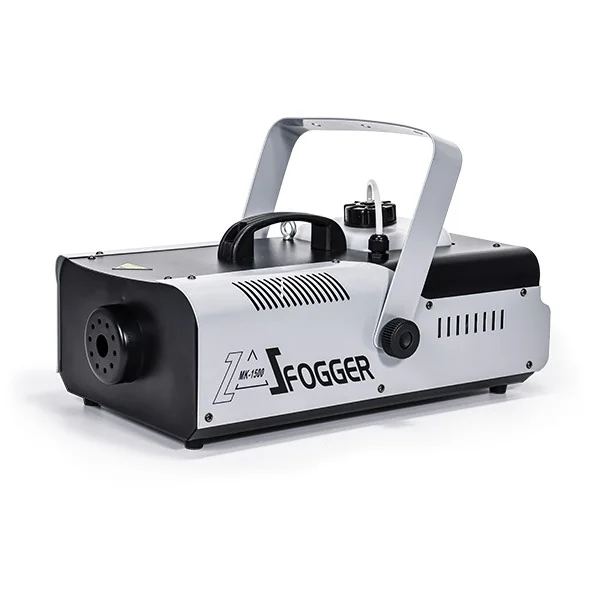




A reliable DMX controller is the backbone of every professional lighting system, shaping how stage fixtures respond, interact, and bring a performance to life. Whether you’re managing simple uplights or a wide range of advanced fixtures such as moving heads, LED washes, and fog machines, the right dmx lighting controller determines how smoothly your entire lighting setup operates. Because different productions require different levels of control—from a single universe to multiple dmx universes—understanding the strengths of each controller model is essential. This guide provides a complete comparison of the most common DMX controllers on the market, helping you choose the best option for your stage, event, or installation.
What Is a DMX Controller?
A DMX controller is a specialized device used to operate and synchronize stage lighting equipment through the DMX512 communication protocol. In modern productions, it functions as the central brain of the entire system, sending digital commands that control brightness, color, movement, strobe effects, and more. Every fixture—whether LED PARs, wash lights, moving heads, strobes, or even fog machines—responds to instructions delivered through a precise structure of DMX channels. As one of the most widely used lighting controllers, a DMX console allows lighting designers to program scenes, build chases, and execute live transitions with accurate timing and smooth lighting operation. Depending on the size and complexity of the stage, users may work with a single universe or multiple dmx universes to handle large-scale lighting setups. In short, a DMX controller enables coordinated, professional lighting control across a wide range of fixtures, making it an essential tool for any event or performance environment.
How DMX Channel Count Affects Your Lighting Setups
Every fixture in a DMX system operates through a set of dmx channels, and the number of channels directly determines how much control you have over each light. Simple LED PAR lights may use only a few channels, while professional moving heads often require 16, 24, or even more channels to manage pan, tilt, color wheels, gobos, dimming curves, and advanced effects. When multiple fixtures are connected together, channel usage adds up quickly—meaning your controller must have enough capacity to support the entire lighting setup without limitations. For larger stages, multiple dmx universes become necessary to handle dozens of moving heads, LED bars, strobes, and fog machines simultaneously. A controller with insufficient channels forces compromises, reduces effect variety, and limits your programming options. Understanding your total required channel count ensures smooth lighting operation, prevents address conflicts, and guarantees your system can grow with future equipment upgrades.
Mainstream DMX Controllers
The market offers a wide variety of lighting controllers, but several models have become industry standards due to their reliability, flexibility, and compatibility with different lighting setups. These controllers vary in capacity—from basic units with limited dmx channels to advanced consoles capable of managing multiple dmx universes and a wide range of fixtures, including moving heads, LED washes, strobes, and fog machines. Understanding the strengths and limitations of each model is essential for choosing the right controller for your stage environment. Below is an overview of the most common and widely used DMX controllers, helping you identify which one best matches your performance needs and technical requirements.
DMX-192 Lighting Controller

The DMX-192 lighting controller is a compact and efficient entry-level lighting controller designed for small to medium lighting setups that require stable and straightforward operation. Supporting a universal AC110–220V power range at 50–60Hz, it is suitable for global use and ideal for portable or fixed installations. The unit operates at a low 8W power consumption, making it energy-efficient for long sessions such as rehearsals or continuous shows.
Equipped with a backlit digital display and 8 channel faders, the controller provides hands-on control for up to 16 DMX channels through a page-switching system, enabling smooth operation of LED PARs, simple moving heads, and basic stage effects. Its internal dual-CPU processing architecture enhances response speed and ensures stable data output, even during rapid scene changes or complex transitions. Designed with intuitive editing and playback modes, the DMX-192 controller is easy to learn and practical for venues such as small theaters, cultural performances, dance shows, and TV studio environments. It is a reliable choice for users who need a lightweight yet capable DMX solution for professional lighting operation.
DMX-384 Lighting Controller

The DMX-384 lighting controller is a versatile mid-range lighting controller designed for users who need more programming flexibility and a larger number of dmx channels for complex lighting setups. It supports standard DMX512/1990 signal output and provides 384 control channels, allowing operation of up to 24 fixtures with 16 channels each—ideal for setups that include LED PARs, bars, small moving heads, strobes, and basic stage effects.
The console features 30 BANKS, each offering 8 programmable scenes, plus 16 variable faders for real-time intensity control. A built-in MIC enables music-activated shows, while auto-triggering can be adjusted through TAP SYNC or the speed potentiometer, making it suitable for DJs, bars, and venues that rely on dynamic lighting changes.
A 4-digit digital display improves visibility in dark environments, and functions such as BLACKOUT, CHASE programming, and CHASE playback can be triggered manually or via MIDI for more advanced lighting operation. The FADE TIME knob allows users to control transition smoothness, enabling more professional scene blending during shows. Connectivity is handled through an XLR-D3F DMX output, with power supplied by DC 9V 1000mA.
With its strong balance of channel capacity, programmability, and music-sync capability, the DMX-384 controller is well-suited for medium-size stages, dance events, clubs, and small touring productions that need stable performance across a wide range of fixtures.
DMX-512 Lighting Controller

The DMX-512 lighting controller is a powerful and widely used professional lighting controller built to handle more demanding lighting setups that require precise coordination across a wide range of fixtures. Operating on AC110–240V, 50/60Hz, it meets global electrical standards and fully supports the DMX512/1990 protocol. With 512 DMX channels, the console can control up to 32 fixtures with 16 channels each, making it suitable for systems that include LED bars, wash lights, strobes, and mid- to high-level moving heads.
The controller features 16 channel faders for real-time control, paired with a dedicated speed fader for quick adjustment during live lighting operation. It offers an extensive programming capacity with 1,600 chase steps, 48 chase programs, and up to 100 steps per program, allowing designers to create highly detailed show sequences. Each step supports independent speed and fade-time settings, enabling smoother transitions and more expressive visual effects.
Users can trigger shows through manual control, auto mode, or sound activation, while dual optical-isolated DMX outputs ensure stable signal transmission across large installations, helping prevent interference between fixtures. The built-in high-efficiency switching power supply enhances overall reliability during long performances.
Thanks to its strong storage capacity, robust output, and professional programming functions, the DMX-512 controller is ideal for medium to large stages, theaters, touring shows, live concerts, and any environment requiring stable multi-fixture control across a wide range of devices.
DMX-1024 Lighting Controller

The DMX-1024 lighting controller is a high-performance professional console designed for advanced lighting setups that require precise control across a very large number of fixtures. Fully compliant with the DMX512/1990 standard, it supports up to 1024 DMX channels with optical-isolated outputs, ensuring stable and interference-free signal transmission in complex stage environments. With the ability to manage up to 96 intelligent fixtures or 96 dimmer channels, it is ideal for large productions that include extensive arrays of moving heads, LED washes, strobes, beam lights, and architectural lighting.
One of its most powerful features is the built-in shape generator, offering 135 preset effects such as circles, spirals, rainbows, waves, chases, and multi-directional movements. Each shape supports independent parameter control—including amplitude, speed, interval, direction, and wave settings—allowing designers to create sophisticated dynamic looks without manual programming. This dramatically boosts efficiency during live lighting operation and rehearsals.
The controller provides 60 playback scenes for both single-step and multi-step sequences, with each chase storing up to 600 steps, enabling detailed show programming suitable for touring concerts, festivals, theaters, and large-scale events. A backlit LCD display with Chinese and English support enhances usability in dark environments, while features like data retention, USB backup and firmware upgrades, and an optional gooseneck work light provide convenience and reliability for indoor and outdoor performances.
Running on AC 100–240V, 50/60Hz, the DMX-1024 is a globally compatible, feature-rich lighting controller built for designers who need stable, large-capacity control across a wide range of professional lighting systems.
Pearl 1024 Console

The Pearl 1024 console is one of the most iconic and widely used professional lighting controllers, engineered for large-scale lighting setups that require powerful programming, fast response, and high fixture capacity. Fully compliant with the DMX512/1990 protocol, it provides up to 1024 DMX channels with optical-isolated outputs, ensuring stable signal transmission across complex systems that include numerous moving heads, dimmers, LED washes, strobes, and stage effects. With the ability to control up to 96 intelligent fixtures, the Pearl 1024 is ideal for concerts, touring shows, theaters, and massive event installations.
A key advantage of the Pearl 1024 is its built-in shape generator, offering 135 preset patterns such as circles, spirals, rainbows, waves, and chase effects. Each shape supports independent parameter control—including amplitude, speed, interval, wave, and direction—allowing lighting designers to produce highly dynamic effects without manually programming every movement. This makes live lighting operation significantly faster and more efficient, especially when working with a wide range of moving fixtures.
The console provides 60 playback scenes, supporting both single-step and multi-step programming, with up to 600 steps per chase, enabling detailed show sequencing suitable for professional touring environments. A backlit LCD screen with Chinese/English support improves visibility in dark venues, while features such as data retention, USB backup, and firmware upgrade capability ensure long-term reliability.
Powered by a universal AC 90–240V, 50–60Hz switching power supply and compatible with an optional gooseneck work light, the Pearl 1024 remains a trusted choice for lighting engineers who demand high capacity, stable performance, and advanced creative control across complex stage productions.
Black Horse Controller

The Black Horse Controller is a high-end professional lighting controller engineered for large-scale productions that demand powerful processing, advanced visualization, and multi-universe control. Equipped with an Intel Core i5 CPU, 4GB RAM, and a 120GB SSD, it delivers the performance required to run real-time rendering platforms such as MA3D and WYSIWYG 3D, making it ideal for pre-visualization, show design, and complex lighting setups involving a wide range of fixtures, including high-level moving heads, strobes, LED walls, and stage effects.
Designed for immersive live operation, the console features two 15.6-inch motorized widescreen touch displays, providing fast access to palettes, fixtures, cues, and 3D visualization panels. With an input voltage of 110–220V (50–60Hz) and a built-in UPS power system, the controller maintains uninterrupted operation during festivals, touring events, and outdoor shows where power fluctuations are common.
For connectivity, the Black Horse Controller offers 6 DMX-512 output ports and 1 DMX input, supporting multiple dmx universes with stable optical isolation for interference-free signal transmission. Additional synchronization options include LTC and MIDI timecode inputs, enabling precise cue timing during professional lighting operation.
The console includes 1 master dimmer wheel, 4 attribute wheels, 1 main fader, and 2 A/B crossfaders, providing hands-on control for programming and live playback. It features 21 playback faders and 42 dedicated program keys, giving lighting designers extensive flexibility for storing and triggering scenes, chases, and sequences. Its wide I/O support includes 4 USB ports, an audio input, an Ethernet port, and dual work-light connectors, ensuring full compatibility with modern lighting systems.
With its powerful hardware, multi-universe output, and advanced visual programming capability, the Black Horse Controller is ideal for concerts, touring productions, large theaters, music festivals, broadcast studios, and any environment that requires sophisticated, high-capacity control across a wide range of professional fixtures.
Tiger Console

The Tiger Console is a powerful, tour-grade lighting controller built on the renowned Titan 10.0 operating system, offering exceptional stability, speed, and programming efficiency for advanced lighting setups. Powered by an Intel i5 CPU, 4GB RAM, and a 120GB Kingston SSD, it delivers fast processing for complex cues, large fixture counts, and real-time visual operations. The console features a 15.6-inch industrial-grade high-resolution touchscreen, supporting seamless integration with computer-based lighting 3D visualization software such as Capture, MA3D, and WYSIWYG—ideal for pre-programming and live show design.
Designed for professional touring environments, the Tiger Console includes a built-in UPS, allowing up to 1 hour of uninterrupted operation even without AC power—crucial for outdoor festivals, concerts, and mobile productions. It supports multi-language interfaces including Chinese, making it accessible for global operators. Depending on the configuration, the console provides 3072 or 6144 dmx channels, and supports Art-Net, allowing expansion to 8 DMX universes or 4 output domains—perfect for large systems with extensive moving heads, LED arrays, media servers, and architectural fixtures.
The console offers 20 playback faders, 10 macro function keys, and the ability to store over 1000 playback cues, giving designers flexible control during dynamic performances. Its advanced attribute control window includes CMY/RGB color pickers, intuitive shape generator, categorized built-in effect libraries, and powerful selection tools that streamline complex programming tasks.
A standout feature is CITP protocol support, enabling real-time thumbnail previews of media server clips directly on the console—significantly improving workflow for multimedia shows. With built-in Wi-Fi, the Tiger Console supports wireless fixture control and remote operation via iPhone or iPad. It also includes thousands of built-in fixture profiles, an onboard fixture library editor, and a lightweight visualization tool for quick layout previews.
Full synchronization options—including MIDI timecode, sound-to-light, and internal audio playback with timecode output—make the Tiger Console ideal for concerts, festivals, theaters, TV studios, EDM events, and any high-demand venue requiring precise, large-scale lighting operation across a wide range of professional fixtures.
M2 Lighting Console

The M2 Lighting Console is a top-tier, Linux-based professional lighting controller engineered for high-capacity, multi-universe lighting setups that demand speed, stability, and advanced programming workflows. Powered by an Intel i5 processor, 4GB RAM, and a built-in SSD, the console delivers exceptional performance for real-time cue execution, large show files, and multi-layer programming. It features two motorized 15.4-inch full-view touchscreens and a 9-inch auxiliary touchscreen, giving lighting designers fast visual access to palettes, fixture parameters, cue lists, and system monitoring.
Equipped with 6 DMX output ports and a configurable DMX input/output port, the M2 can control extensive rigs of moving heads, dimmers, LED walls, and media devices. When connected to an NPU, it supports up to 65,536 dmx channels, making it suitable for massive arenas, stadium tours, festivals, and broadcast-level productions requiring numerous dmx universes. The interface includes 15 motorized faders with induction sensing, 50 execution buttons, a master fader, a precision XY trackball, dual A/B crossfaders, and six industrial-grade encoders—offering full tactile control during both programming and live lighting operation.
Connectivity options are comprehensive, with two Gigabit Ethernet ports supporting MA-Net, Art-Net, and network-based lighting protocols, plus five USB ports, a backup USB slot, dual DVI outputs for external monitors, and MIDI In/Out for timecode integration. Additional professional features include RDM support, dual work-light connectors, and a wide-range 100–240V industrial power supply designed for global touring. A built-in high-power UPS ensures continuous operation during voltage drops or power interruptions—critical for touring concerts and outdoor events.
For convenience, the M2 includes a sliding drawer with a yellow backlit mechanical keyboard, adjustable in brightness for low-light environments. With its advanced hardware platform, multi-universe capability, and deep software integration, the M2 Lighting Console is ideal for high-end productions demanding precise control across a wide range of modern fixtures and media systems.
M3 Lighting Console

The M3 Lighting Console is a flagship, Linux-based lighting controller designed for the most demanding lighting setups across concerts, festivals, stadium productions, and broadcast environments. Built on an industrial-grade motherboard with an Intel i5 CPU, 4GB RAM, and a high-speed SSD, it delivers exceptional stability and processing power for large, multimedia-heavy show files. The console features three motorized 15.4-inch full-view industrial touchscreens plus an additional 9-inch touchscreen, giving lighting designers an expansive, intuitive workspace ideal for handling complex cue structures, multi-universe programming, and real-time visualization.
Equipped with 6 DMX output ports and a configurable DMX input/output port, the M3 supports extensive rigs of moving heads, LED walls, strobes, dimmers, and special-effects fixtures. When connected to an NPU, it can manage up to 65,536 dmx channels, making it capable of handling extremely large multi-universe systems. The I/O configuration includes two Gigabit Ethernet ports supporting MA-Net, Art-Net, and other network protocols, allowing seamless integration with advanced control networks and distributed processing systems.
For live lighting operation, the console provides 30 motorized faders with induction sensing, 80 execution keys, a master fader, a dimmer wheel, dual A/B crossfaders, a high-precision XY trackball, and seven industrial-grade encoders with push functionality. These features offer precision control for programming, playback, media server integration, and multi-layer cue execution across a wide range of production environments.
A built-in high-power UPS ensures uninterrupted operation even without external power, enabling the console to boot or remain active during outdoor festivals or unexpected voltage drops. The M3 also includes LTC timecode, MIDI In/Out, RDM support, five USB ports, a backup USB bay, two DVI outputs for additional monitors, and dual work-light ports—making it a fully equipped platform for professional, multi-protocol lighting control.
Additional convenience features include two built-in drawers and a yellow backlit mechanical keyboard with adjustable brightness, allowing efficient operation in dark FOH conditions. Powered by a global-compatible 100–240V, 50/60Hz industrial power supply, the M3 Lighting Console combines massive output capability, comprehensive connectivity, and advanced interface design—making it an elite solution for large-scale productions requiring absolute control across many dmx universes and complex fixture systems.
DMX Controller Comparison Table
Choosing the right DMX lighting controller becomes much easier when you can compare their channel capacity, fixture limits, programming features, and ideal usage scenarios side by side. Each controller serves a different type of lighting setup—from small event rigs to multi-universe touring systems. To help you quickly identify the model that fits your needs, the following comparison table summarizes the key specifications, strengths, and recommended applications of all major DMX controllers discussed above. This overview makes it easier to evaluate performance levels and understand how each console handles different dmx channels, dmx universes, and a wide range of professional fixtures such as moving heads, LED washes, and stage effects.
| Model | DMX Channels / Universes | Fixture Capacity | Best Use Case | Key Features | Skill Level |
|---|---|---|---|---|---|
| DMX-192 | 192 channels / 1 universe | 12 fixtures × 16ch | Small events, DJs, mini stages | Backlit display, 8 faders + page, dual-CPU, simple programming | Beginner |
| DMX-384 | 384 channels / 1 universe | 24 fixtures × 16ch | Small–medium shows, bars, dance events | 30 banks, 1600 chase steps, sound activation, MIDI support | Beginner–Intermediate |
| DMX-512 | 512 channels / 1 universe | 32 fixtures × 16ch | Medium stages, theaters, corporate events | 1600 chase steps, dual isolated outputs, advanced fade/speed control | Intermediate |
| DMX-1024 | 1024 channels / 2 universes | 96 fixtures | Large shows, touring, dance festivals | 135 built-in shapes, 60 playbacks, 600-step chases, USB backup | Intermediate–Pro |
| Pearl 1024 | 1024 channels / 2 universes | 80–96 fixtures | Concerts, touring shows, professional venues | Shape generator, multilingual LCD, USB upgrade, optical isolation | Professional |
| Black Horse Controller | Multi-universe (6 DMX outs) | Large rigs, multi-universe | Stadiums, festivals, TV, high-end shows | Dual motor screens, i5 CPU, timecode, 3D software support, 21 playbacks | Professional |
| Tiger Console | 3072 / 6144 channels, up to 8 universes (Art-Net) | Very large rigs | Touring, EDM festivals, mega venues | Titan OS, UPS, CITP, Wi-Fi control, 20 playbacks, 135+ shapes | Pro–Advanced |
| M2 Console | Up to 65,536 channels via NPU | Super large rigs | Stadium tours, massive concerts, broadcast | Dual screens, XY trackball, 15 motor faders, MA-Net/Art-Net | Advanced |
| M3 Console | Up to 65,536 channels via NPU | Super large rigs | Stadiums, festivals, multimedia shows | Triple screens, LTC, UPS, 30 motor faders, 80 exec keys, RDM | Advanced–Expert |
Best DMX Controller by Application Scenario
Different venues require different levels of control, fixture capacity, and programming flexibility. Small event setups may only need a single-universe DMX controller, while large shows rely on multi-universe systems capable of managing thousands of dmx channels and a wide range of moving heads, LED walls, strobes, and fog machines. The following scenarios highlight which type of controller is best suited for each application.
Small Events, DJs & Private Parties

Controllers such as the DMX-192 or DMX-384 work well for compact lighting setups involving uplights, basic PAR fixtures, or small moving heads. Their single-universe output, simple interface, and sound-activated chase functions make them easy to use in weddings, home parties, and mobile DJ systems. These units offer enough control without overwhelming beginners and remain reliable for quick deployments.
Bars, Clubs & Entertainment Venues

Mid-sized venues typically run a combination of LED bars, wash lights, strobes, and effects. Controllers like the DMX-384 or DMX-512 provide additional channel capacity and stronger programming tools, enabling synchronized light shows with smoother fades and better color transitions. Their ability to handle multiple fixtures simultaneously makes them suitable for environments requiring nightly operation and dynamic lighting changes.
Churches, Schools & Corporate Events

Environments that rely on repeated programs—such as services, ceremonies, or presentations—benefit from consoles like the DMX-512 or DMX-1024. These controllers support more sophisticated cue playback, independent fade times, and optical isolation for stable signal transmission. They are ideal for mid-sized auditoriums that need reliable scene presets and the ability to control moderate numbers of moving heads or stage washes.
Theaters, Stage Productions & Live Performances

Theatrical productions depend on precise programming and multi-step transitions. Controllers such as the DMX-1024 or Pearl 1024 Console provide advanced shape generators, large chase storage, multilingual interfaces, and accurate fade-time control. These features help lighting designers create structured sequences for dramatic cues, complex movements, and layered stage looks that must be repeated flawlessly every night.
Concerts, Touring Shows & Music Festivals

Large touring shows require controllers that deliver high processing power, multi-universe output, advanced visualization, and stable long-duration performance. Systems like the Tiger Console or Black Horse Controller provide powerful CPUs, multiple touchscreens, UPS protection, Art-Net support, and extensive playback controls. They excel in professional environments with demanding rigs that include large numbers of moving heads, LED walls, strobes, and high-output effects.
Stadiums, Arenas & High-End Multimedia Shows

Flagship consoles such as the M2 and M3 Lighting Consoles are designed for stadium-scale productions requiring extreme channel counts and advanced networked control. With support for up to 65,536 dmx channels through NPUs, multi-screen layouts, motorized faders, precision trackballs, and MA-Net/Art-Net compatibility, these systems handle massive stage designs, pixel-mapped LED installations, and multi-server media integration. They are the preferred choice for large-scale concerts, esports shows, immersive experiences, and broadcast-level productions.
Key Features to Look for in a DMX Lighting Controller
Choosing the right DMX controller depends on how well it can match your lighting scale, programming workflow, and show requirements. Instead of focusing only on channel count, examine the technical features that directly influence control precision, stability, and long-term usability.
Channel & Universe Capacity
Determines how many fixtures and complex effects you can control.
Single-universe fits small setups; multi-universe supports concerts and large productions.Programming Flexibility
Look for cue stacking, scene banks, shape generators, timing control, and multi-step sequences—essential for professional shows, theaters, and festivals.User Interface & Workflow
Touchscreens, faders, dual displays, and intuitive menu navigation drastically improve speed during show programming and live operation.Connectivity Options
Art-Net, sACN, DMX ports, USB storage, MIDI, and timecode ensure compatibility with modern rigs, media servers, and external triggering systems.Build Quality & Reliability
Metal chassis, reinforced knobs and faders, and stable power designs matter for touring use and long runtime performances.Fixture Library & Compatibility
A rich built-in library reduces setup time. Controllers with automatic fixture profiles make it faster to patch moving heads, washes, strobes, and LED panels.Visualization & Pre-Programming
Some advanced controllers support 3D visualizers, letting designers build entire shows before stepping into the venue.Backup & Safety Features
Options like UPS protection, auto-save, optical isolation, and redundant outputs ensure uninterrupted performance even during power fluctuations.Learning Curve & Operator Skill Level
Entry-level units offer simple manual control. High-end consoles require training but deliver unmatched precision and scalability.Expandability
Support for external wings, NPUs, multi-screen setups, or network nodes ensures the controller can grow with future stage needs.
DMX Wiring & Connectivity Basics
Understanding DMX wiring is essential for building a stable and interference-free lighting network. Below is a clear breakdown of the most important wiring and connection rules used in modern stage setups.
Use 3-pin or 5-pin XLR cables specifically made for DMX (110Ω impedance)
Standard microphone cables can cause signal loss and unpredictable behavior.DMX uses a daisy-chain topology
Fixtures connect “DMX OUT → DMX IN” one after another to maintain proper signal flow.Maximum recommended chain length is approximately 32 fixtures per DMX line
Beyond this, signal amplifiers or splitters are required for stability.Always connect a DMX terminator (120Ω resistor) at the last fixture
Prevents signal reflection and eliminates flickering or random jumps.Keep DMX cables away from power cables
Avoids electromagnetic interference that can corrupt data signals.Use an opto-isolated DMX splitter for large or multi-zone layouts
Improves stability and protects your controller from electrical faults.Art-Net and sACN require Ethernet (Cat5/Cat6), not XLR cables
These allow multi-universe control over network infrastructures.Ensure all fixtures are correctly addressed before powering up the system
Incorrect DMX addresses are the most common cause of fixture malfunction.Use RDM-compatible cables and devices when remote management is needed
Allows automatic fixture discovery, addressing, and diagnostics.Check polarity before connecting third-party devices
Some equipment uses different pin assignments; incorrect polarity can cause signal issues.
DMX Myths & Common Mistakes
Even experienced lighting technicians encounter misinformation and small errors that can cause major issues in a DMX system. Understanding these myths and avoiding common mistakes will help you build a more stable and reliable lighting setup.
Myth: “Microphone cables work the same as DMX cables.”
Mic cables lack the 110Ω impedance required for digital data, causing flicker and random signal jumps.Myth: “DMX terminators are optional.”
In long runs, skipping the 120Ω terminator leads to signal reflection and unpredictable fixture behavior.Myth: “You can mix 3-pin and 5-pin DMX cables freely.”
Some adapters keep proper pin mapping, but many cheaper ones do not, causing polarity issues.Mistake: Daisy-chaining too many fixtures on a single line.
Exceeding ~32 fixtures without a splitter weakens the signal and increases delay.Mistake: Running DMX cables parallel to power cables.
Leads to interference, especially with high-power moving heads or dimmer packs.Mistake: Forgetting to set unique DMX addresses.
Duplicate addresses make multiple fixtures behave identically or unpredictably.Myth: “All DMX controllers support RDM.”
Many low-end controllers cannot handle bi-directional communication—even if fixtures support it.Mistake: Using cheap XLR adapters to convert between DMX and audio gear.
These adapters often swap pins and damage signal integrity.Myth: “Ethernet-based protocols like Art-Net don’t need proper network setup.”
Poor IP assignment or unmanaged switches can slow or drop data packets.Mistake: Plugging or unplugging DMX cables while the system is powered.
Hot-plugging can corrupt live scenes or spike signal noise.
DMX Controller Buying Advice
Choosing the right DMX controller directly impacts your programming efficiency, show reliability, and long-term scalability. Whether you’re equipping a small venue or building a full touring rig, evaluating the controller through practical purchase criteria helps ensure you get the best value and performance.
Match the controller to your channel needs
Count your fixtures and confirm total DMX channel requirements, with room for future expansion.Check protocol compatibility (DMX / RDM / Art-Net / sACN)
Modern shows rely heavily on network lighting; choose a controller that supports the protocols you actually use.Evaluate the number of physical outputs
More DMX universes allow easier patching and cleaner signal distribution.Prioritize an intuitive programming workflow
Look for cue lists, palettes, effects generators, and a clean interface that speeds up show creation.Look for a stable operating system and hardware
Linux-based and industrial-grade consoles are more reliable for professional touring.Confirm fixture library coverage
Large built-in libraries reduce setup time and simplify patching.Consider touchscreen support and screen size
Larger or multiple touch displays improve programming speed and live operation.Check connectivity options (USB, MIDI, LTC, network ports)
Essential for synchronization, backup, and expansion.Ensure the console supports remote control
Wireless or app-based remote access is valuable for focusing fixtures on stage.Review after-sales support and software updates
A controller with constant updates and active community support stays reliable for years.
FAQ-About More DMX controller
1. What’s the difference between a DMX controller and a lighting console?
A DMX controller sends basic DMX signals to your fixtures, while a full lighting console offers advanced programming tools, effects engines, multiple universes, and professional show-control features.
2. How many DMX channels do I need for my setup?
Add together the channel count of every fixture in your rig, then choose a controller that provides at least 20–30% extra capacity for future expansion.
3. Can I use Art-Net or sACN instead of physical DMX cables?
Yes. Most modern controllers support network protocols, allowing you to send DMX over Ethernet for long distances, multiple universes, and cleaner wiring.
4. Do I need RDM support?
RDM is optional but extremely helpful. It allows remote fixture addressing, status monitoring, and diagnostics—saving significant setup time for large rigs.
5. What causes signal issues in DMX systems?
Common problems include incorrect cabling (audio cables instead of DMX cables), missing terminators, overly long runs, or mixing different impedance standards. Proper wiring and termination solve most issues.
Conclusion: Choosing the Right DMX Controller for Your Lighting Setup
Selecting the right DMX controller comes down to understanding your fixtures, your show requirements, and the level of control you expect as your lighting needs grow. Entry-level rigs may only require a simple, single-universe desk, while professional productions benefit from multi-universe consoles with advanced effect engines, networking options, and precise programming tools.
As you compare models, focus on channel capacity, workflow efficiency, expandability, and compatibility with your existing fixtures. A well-chosen controller not only improves programming speed and show consistency but also gives your setup the flexibility to scale—whether you’re upgrading fixtures, expanding to multiple universes, or integrating Art-Net systems.
Investing in a controller that fits both your current and future needs ensures stable performance, smoother operations, and a lighting rig capable of delivering professional, reliable results for years to come.



 EN
EN  ES
ES  PT
PT  DE
DE  FR
FR  KO
KO  JA
JA  RU
RU  AR
AR  IT
IT  TR
TR  MS
MS  ID
ID  VI
VI  TH
TH  HI
HI  BN
BN  ZH
ZH