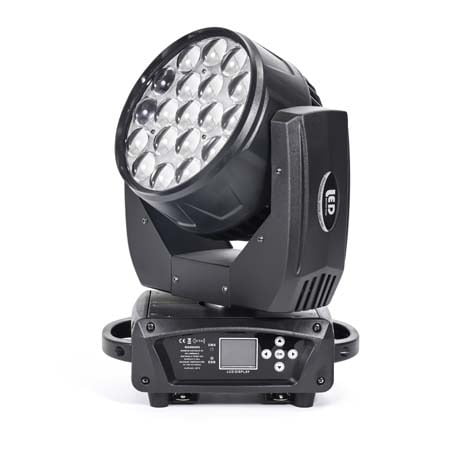


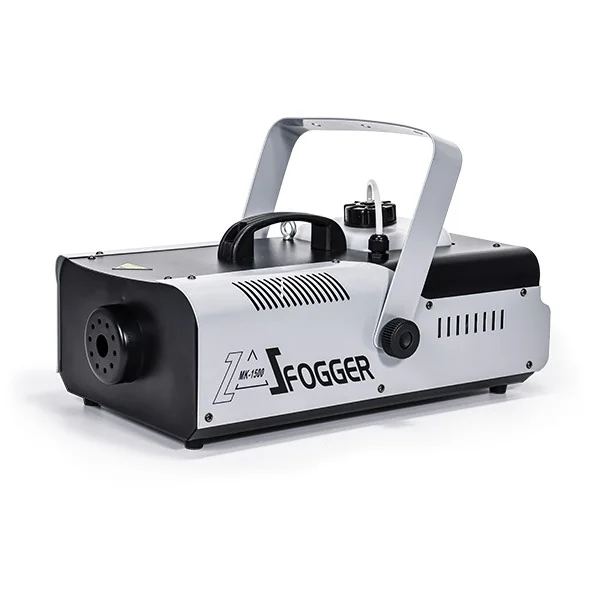




Introduction: Why These DMX Lighting Consoles Matter Most
In today’s stage-lighting industry, a handful of DMX lighting consoles dominate real-world usage across concerts, events, theaters, churches, nightlife venues, and touring productions. Models such as the DMX512 series, Pearl consoles, Tiger consoles, grandMA2, and Hog 4 have become the most widely adopted options, each representing a different level of capability—from entry-level manual control to advanced networked systems designed for large-scale shows.
These consoles are worth comparing because they cover the full spectrum of professional lighting operation. Together, they reflect how lighting control has evolved: starting from simple DMX channel faders, moving to digital touch-screen programming, and eventually reaching high-capacity systems capable of handling thousands of fixtures, media servers, pixel mapping, and multi-universe programming. Whether you manage moving heads, fog machines, LED pars, strobes, or full multimedia rigs, understanding the strengths and weaknesses of these mainstream consoles helps you choose the right tool for your lighting setups, budget, and workflow.
This comparison is especially valuable for equipment rental companies, production teams, integrators, and lighting designers who need a reliable, scalable controller that fits both current and future stage requirements.
Comparison Overview: Core Specs & Ideal Applications
Choosing the right lighting console requires a clear understanding of how each model differs in DMX channel capacity, workflow design, output scalability, and real-world performance. The table below summarizes the essential specifications and best-fit scenarios of the most popular DMX lighting consoles used in modern stage productions. This comparison gives you a quick snapshot of which console suits small venues, mobile shows, theaters, or large-scale professional events.
DMX Lighting Console Comparison Table
| Console Model | DMX Channel Capacity | Screen & Interface | Network Protocols | Ease of Use | Strengths | Best Application Scenarios |
|---|---|---|---|---|---|---|
| DMX512 Series (192/384/512) | 192–512 channels | No screen / basic display | None | ⭐⭐⭐⭐⭐ | Simple, affordable, ideal for basic LED fixtures | Small stages, weddings, schools, hotel events, basic setups |
| Pearl Console | Up to 2048 channels | No touch screen | No network output | ⭐⭐⭐⭐ | Stable, widely used, rich fixture library | Medium-sized shows, touring, rental companies |
| Tiger Console | 3072–6144 channels | Touch screen, digital UI | Art-Net / sACN / eDMX | ⭐⭐⭐⭐ | Fast programming, powerful digital workflow | Mobile shows, medium–large productions, clubs |
| grandMA2 Console | Up to 256 DMX universes | Multi-touch screens | MA-Net, Art-Net, sACN | ⭐⭐ | Industry standard, extremely scalable | Concerts, festivals, TV studios, stadium-level events |
| Hog 4 Console | Up to 256 DMX universes | Large touch screens | HogNet, Art-Net, sACN | ⭐⭐⭐⭐ | Intuitive control, excellent for multi-attribute fixtures | Touring shows, multimedia events, pixel-heavy designs |
DMX512 Console: The Essential Entry-Level Lighting Controller

The DMX512 console is the most widely used entry-level lighting controller, known for its simplicity, affordability, and reliability. Common models such as DMX-192, DMX-384, and DMX-512 provide the fundamental tools needed for basic lighting operation, including channel faders, scene recording, chase playback, blackout control, tap-sync timing, and music-activated triggers. These features make it ideal for LED PARs, small moving heads, color washes, and basic stage effects.
Despite lacking advanced functions such as network protocols, multi-universe output, or large fixture libraries, the DMX512 console remains the go-to choice for small venues and beginner technicians. Schools, churches, hotels, wedding companies, community events, and compact stages favor DMX512 systems because they offer quick setup, straightforward operation, and stable performance under simple lighting setups. For anyone building a small rig or learning the fundamentals of lighting control, the DMX512 console provides a dependable and budget-friendly starting point.
Pearl Console: The Classic Entry-Level Professional Controller

The Pearl console series is one of the most widely adopted professional lighting controllers in the global market and has long been considered the industry’s “standard entry-level pro console.” Known for its stable performance, intuitive workflow, and extensive fixture library support, the Pearl remains popular among rental companies, touring crews, and technicians working in small to mid-scale productions. Its consistency across different models allows operators to learn one layout and quickly adapt to the entire Pearl family, making it a dependable choice for teams with changing staff or fast-turnaround shows.
Strengths
-
Highly reliable for long-running events and touring environments
-
Extremely large and well-established fixture library, easy to find or build profiles
-
Simple and intuitive programming workflow, ideal for both beginners and experienced operators
-
Cost-effective due to strong domestic availability and consistent hardware design
-
Familiar layout—learning one model effectively teaches you the whole Pearl series
-
Proven stability across concerts, theaters, danceshows, corporate events, and broadcast lighting
Weaknesses
-
As an analog-style controller, DMX output is fixed and not expandable
-
Interface is button- and LED-indicator-driven, less visual compared to modern touch systems
-
Limited language support, making learning harder for non-English users
-
Cues cannot be rearranged flexibly; inserting steps between existing cues is restricted
-
MIDI functions are less robust and may struggle with timecode accuracy
Best Application Scenarios
The Pearl console excels in small to medium productions that require quick programming, stable performance, and a familiar user workflow. It is especially suitable for touring events, rental companies, theaters, dance shows, weddings, and community concerts where technicians need a controller that “just works” with minimal risk and minimal learning curve. Its rich fixture library and solid reliability make it an excellent choice for lighting setups dominated by moving heads, washes, LED PARs, and simple effects.
Tiger Console: A Digital Touchscreen Powerhouse for Modern Lighting Control

The Tiger console represents a new generation of digital lighting controllers built for speed, flexibility, and visual efficiency. Designed with a responsive touchscreen interface and full support for modern lighting network protocols, the Tiger series provides a significant upgrade from traditional analog-style programming. Its intuitive digital workspace, multilingual interface, built-in graphics engine, and flexible playback architecture make it one of the most efficient tools for mid- to large-scale productions requiring fast show creation and real-time adjustments.
Strengths
-
Touchscreen-driven workflow offers highly visual, fast, and intuitive programming
-
Supports professional network protocols such as Art-Net, sACN, and eDMX
-
Low-cost expansion capability—up to 64 DMX universes makes it extremely scalable
-
Built-in graphical generator, color picker, pixel mapping tools, and device libraries
-
Hand-draw “scribble” labeling helps operators identify cues and fixtures instantly
-
Flexible playback structure with paging executors, button executors, and fader executors
-
Supports CITP for media thumbnail preview, Wi-Fi remote control, and built-in 3D visualization
-
Lightweight and compact—ideal for touring and mobile productions
Weaknesses
-
Timecode recording is limited to cue-list type programs
-
Fixture libraries cannot be refreshed in real time; software restart may be required
-
USB ports are concentrated on the rear panel, limiting accessibility
-
Some advanced functions may require additional training for new operators
Best Application Scenarios
The Tiger console shines in environments where programmers need both speed and visualization. It is particularly suited for mobile shows, touring performances, nightclubs, mid-sized concerts, and event companies that require powerful features without the cost and complexity of top-tier systems. Its flexible network support and fast programming tools make it ideal for controlling moving heads, LED walls, pixel grids, wash lights, and mixed DMX rigs with high efficiency.
GrandMA2 Console: The Industry Standard for High-End Productions

The grandMA2 is widely regarded as the global benchmark for professional lighting control. Built for large-scale productions that demand deep programming flexibility, massive DMX universe capacity, synchronized multi-operator workflows, and robust networking, the grandMA2 remains the top choice for touring concerts, stadium shows, TV studios, theme parks, and multimedia installations. Its Linux-based architecture, powerful executors, and expansive command-line system give experienced programmers unmatched control over complex lighting rigs, media servers, pixel mapping, and timecode-driven effects.
Strengths
-
Supports extremely large-scale productions with up to 256 DMX universes
-
Highly stable Linux OS optimized for long run-time and heavy programming loads
-
Multi-user networking allows several programmers to work on the same show simultaneously
-
Extremely flexible interface—almost every workflow can be customized
-
Massive fixture-library support and fast software updates
-
Offers advanced tools such as MA 3D visualization, layout views, bitmap effects, cloning, and tracking management
-
Consistent operations across all MA2 models, making cross-device training easier
Weaknesses
-
Very steep learning curve due to its advanced functions, syntax, and command structure
-
UI is complex and dense, which may overwhelm operators transitioning from simpler consoles
-
Limited language options and heavy use of abbreviations can challenge non-English speakers
-
Hardware and expansion nodes can be costly for users needing many universes
-
Fixture-profile creation is detailed and time-consuming, requiring repeated menu navigation
-
Some parameters and windows require frequent editing or right-click actions, slowing down new users
Best Application Scenarios
The grandMA2 is the definitive choice for productions that require absolute precision, extensive DMX universes, synchronized multi-device control, and complex cue structures. It excels in large concerts, festivals, televised events, arenas, theme parks, and multimedia shows where thousands of fixtures—including moving heads, media servers, pixel mapping systems, LED walls, and advanced effects—must be controlled in one cohesive environment. For high-end lighting designers and experienced programmers, the MA2 offers unmatched capability and long-term reliability.
Hog 4 Console: The Most User-Friendly Professional Lighting Controller

The Hog 4 console is internationally recognized for its intuitive workflow, clean interface, and exceptionally fast programming experience. Designed for modern multi-attribute fixtures, media servers, and pixel-rich stage setups, Hog 4 delivers a balance of professional power and unmatched usability. Its touchscreen environment, color-picking tools, graphical effects engine, and straightforward programmer layout make it a top choice for lighting designers who want speed without sacrificing capability. With strong network support and up to 256 universes of output, Hog 4 excels in productions that demand both high performance and ease of operation.
Strengths
-
One of the easiest professional consoles to learn—clean UI, logical layout, minimal menu complexity
-
Intuitive programming for multi-attribute fixtures such as moving heads, LEDs, pixel bars, and media servers
-
Supports large-scale productions with high DMX output capacity (up to 256 universes)
-
Strong software stability with both Windows and Linux-based models
-
Consistent workflow across all Hog 4 family consoles—learn once, operate any unit
-
Fast effects engine, multi-touch support, integrated color picker, and efficient attribute control
-
Supports major network protocols (HogNet, Art-Net, sACN) with quick show-file portability
-
Affordable compared to other high-end consoles after domestic production
Weaknesses
-
Limited language support—only one system language may slow down beginners
-
Some functions (e.g., pixel mapping, line-based 3D visualization) are not as advanced as competitors
-
Fixture-library import and merging can be less convenient on older versions
-
DMX expansion on certain models requires additional hardware investment
-
Button-size customization within certain windows is limited (improved in later versions)
Best Application Scenarios
Hog 4 is ideal for productions that need fast, intuitive control over large numbers of fixtures while maintaining a smooth programming workflow. It performs exceptionally well in touring shows, multimedia events, theaters, churches, festivals, and events using media servers or complex LED/pixel elements. For designers who value speed, clarity, and minimal learning curve without compromising professional capability, Hog 4 stands out as one of the most efficient high-level consoles available.
Which One Should You Choose?
Best DMX Console by User Scenario
| User Scenario | Recommended Console | Why It Fits |
|---|---|---|
| Schools, churches, hotels, small stages | DMX512 Series | Simple, low-cost, fast setup, ideal for LED PARs and basic rigs. |
| Small to mid-size touring, rental companies | Pearl Console | Stable, easy to learn, huge fixture library, proven reliability. |
| Mobile shows, clubs, mid–large events needing fast programming | Tiger Console | Touchscreen efficiency, strong networking, excellent visual workflow. |
| Large concerts, festivals, TV studios, stadium-scale productions | grandMA2 Console | Industry standard, massive universes, multi-user networking, advanced control. |
| Pixel-heavy shows, multimedia events, media servers | Hog 4 Console | Most intuitive high-end workflow, fast effects engine, ideal for complex fixtures. |
Common Misconceptions About Lighting Consoles
Many new users—and even some experienced technicians—develop misunderstandings about what lighting consoles can or cannot do. These misconceptions often lead to poor purchasing decisions, inefficient programming workflows, and unrealistic expectations during live events. Below are some of the most common myths and why they’re inaccurate.
Common Misconceptions
-
“More DMX channels always mean a better console.”
Channel count matters, but workflow, effects engines, network capability, and programming speed have a much bigger impact on real-world performance. -
“All consoles operate the same way.”
Each console family has a unique philosophy—Pearl focuses on simplicity, Tiger on visual efficiency, MA2 on deep customization, and Hog 4 on intuitive control. -
“A touchscreen console is automatically more advanced.”
Touchscreens help, but software architecture, effects engines, libraries, and networking determine the true capability of the console. -
“Any console can handle large shows if enough universes are available.”
Large productions require multi-user networking, fast cloning, layout views, pixel mapping, reliable timecode, and stable processing—not just universes. -
“I can skip learning the syntax and rely only on faders.”
High-end shows require command-line operations, logical cue structure, and consistent scene management—faders alone are not enough. -
“Fixture libraries are all the same.”
Some consoles have richer, better-maintained libraries. Others require more manual editing, affecting workflow speed and accuracy. -
“A console that works for small events will scale to concerts.”
Entry-level consoles like DMX512 quickly hit limits with moving heads, media servers, advanced effects, and complex cue lists.
FAQ
1. What is the main difference between basic DMX consoles and advanced lighting consoles?
Basic DMX consoles focus on simple channel control and scene playback, while advanced consoles offer multi-universe output, network protocols, timecode, pixel mapping, and complex programming tools suitable for large productions.
2. How many DMX channels do I need for a typical stage setup?
Small rigs with PAR lights may only require 192–512 channels, while setups with multiple moving heads, LED bars, and effect fixtures typically need 1024–4096 channels or more, depending on fixture attributes.
3. Can a DMX512 console control moving heads?
Yes. Entry-level DMX512 consoles can control moving heads, but they lack advanced features like attribute wheels, visualizers, and effects engines, making programming more time-consuming.
4. Is grandMA2 difficult to learn for beginners?
Yes. grandMA2 has a steep learning curve due to its command-line structure, deep programming options, and complex UI. However, it becomes extremely efficient once operators understand its workflow.
5. Which console is best for pixel mapping and media-server-heavy shows?
Hog 4 and grandMA2 are strong choices for pixel-heavy and multimedia productions. Hog 4 offers intuitive control and a fast effects engine, while MA2 provides deep customization and large-universe capability.
Conclusion: Choosing the Right DMX Console for Your Lighting Needs
Selecting the right DMX lighting console is ultimately about matching your technical requirements, production scale, and workflow preferences. Entry-level DMX512 consoles offer simplicity and cost-effectiveness for small venues and beginner users, while Pearl consoles provide a stable, proven foundation for medium-sized productions. Tiger consoles deliver the speed and visual efficiency of modern touchscreen design, making them ideal for fast-paced event environments. For large-scale concerts, festivals, and multimedia shows requiring deep programming and networked control, grandMA2 and Hog 4 stand out as the most capable and scalable solutions.
By understanding the strengths, weaknesses, and ideal application scenarios of each system, you can confidently choose a console that supports both your current lighting setups and your long-term creative ambitions. Whether you’re building a compact LED rig or designing a stadium-level production, the right controller will significantly improve programming speed, consistency, and performance reliability across every show.



 EN
EN  ES
ES  PT
PT  DE
DE  FR
FR  KO
KO  JA
JA  RU
RU  AR
AR  IT
IT  TR
TR  MS
MS  ID
ID  VI
VI  TH
TH  HI
HI  BN
BN  ZH
ZH