





Introduction: Why Choosing the Right DMX512 Controller Matters
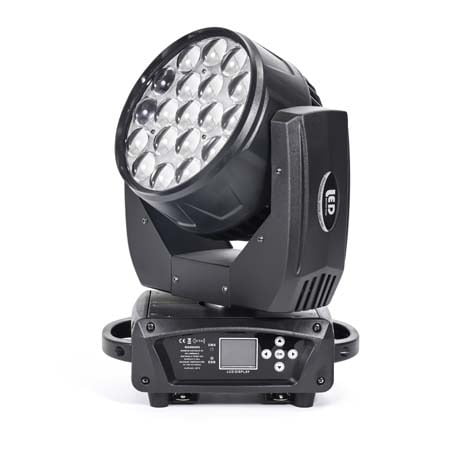
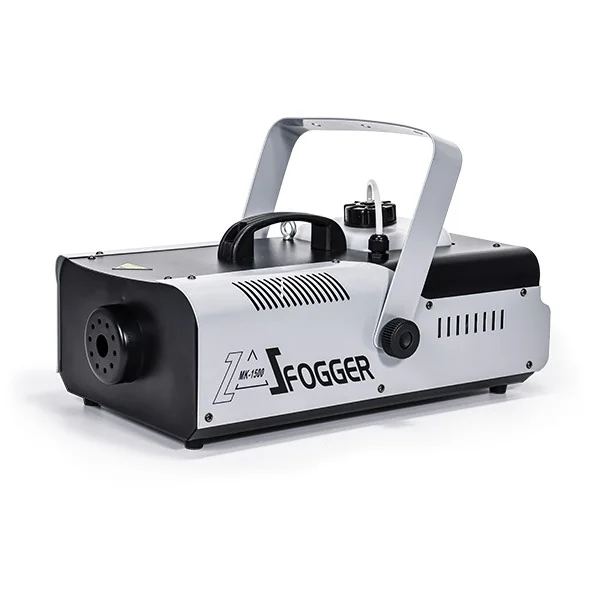
A DMX512 controller is the command center of any lighting system—whether you’re running a small PAR-light setup or a full-scale concert rig with moving heads, lasers, fog machines, and pixel effects. The controller determines how smoothly your cues run, how precisely you can adjust fixture parameters, and how reliably your entire lighting show performs. Choosing the wrong model often leads to issues like insufficient channels, limited programming capacity, lag, and unpredictable fixture behavior.
Because different DMX512 controllers vary widely in channel count, processing power, universe support, and workflow design, selecting the right one directly affects both your creative flexibility and the stability of your lighting setup. A well-matched controller gives you room to expand, handle complex effects, and operate confidently in live environments. Whether you’re a beginner building your first rig or a professional designing large event lighting, understanding how to choose the right DMX512 controller is the key to consistent, high-quality results.
What Is a DMX512 Controller?

A DMX512 controller is the central device used to operate stage lighting fixtures through the DMX512 protocol—an international standard that sends digital signals across 512 individual channels. Each channel represents a controllable parameter such as dimming, color, strobe, pan, tilt, or beam effects. Because most modern fixtures (LED PARs, moving heads, wash lights, lasers, pixel bars) require multiple channels—anywhere from 6 to 32 or more—the controller serves as the “brain” that assigns addresses, sends instructions, stores cues, and synchronizes the entire lighting performance.
In practice, a DMX512 controller lets you program scenes, transitions, chases, and show sequences with precise control. Small systems may use simple hardware consoles, while larger productions rely on advanced touch-screen controllers with multiple universes, network protocols like Art-Net or sACN, visualizers, and powerful CPUs. Whether wired or wireless, the DMX512 controller defines how well your lighting responds, how complex your effects can be, and how easily you can scale your setup for future needs.
DMX Controller Types by Channel Capacity
Choosing a DMX controller starts with understanding how many channels your lighting system requires. Every fixture consumes multiple channels—LED PARs often use 6–12, moving heads can require 16–32, and pixel-based fixtures can consume much more. The controller’s channel capacity determines how many lights you can run and how complex your programming can be. Below is a clear breakdown of the most common DMX controller types based on channel count.
| Controller Type | Total Channels | Typical Fixture Count | Best For | Strengths | Limitations |
|---|---|---|---|---|---|
| DMX192 Controller | 192 channels | < 20 fixtures | Small events, DJs, weddings, hotel shows | Affordable, simple operation, great for beginners | Limited channel headroom; not ideal for moving heads or large rigs |
| DMX384 Controller | 384 channels | 20–40 fixtures | Small–medium productions | More flexibility for mixed setups | Still restrictive for advanced fixtures |
| DMX512 Controller | 512 channels | 40–70 fixtures | Bars, clubs, professional small–medium stages | Full DMX512 capability, broader programming options | Requires more programming knowledge |
| DMX1024 Controller | 1024 channels | 70–120 fixtures | Stage shows, touring setups | High capacity, supports complex moving head rigs | Higher cost and learning curve |
| Advanced Pro Consoles (Pearl / Tiger / M2 / M3) | 1024–65,536+ channels (multiple universes) | 100–500+ fixtures | Concerts, festivals, large-scale events | Multi-universe, touchscreens, fast CPUs, advanced networking | Professional-grade systems; requires training |
How Many Channels Do You Actually Need?
Before choosing any DMX512 controller, you must calculate your system’s total channel requirement. Every fixture consumes a certain number of DMX channels—LED PAR lights usually require 6–12, while moving heads often need 16–32 or more. If the controller doesn’t offer enough channels, your lights won’t respond correctly, and you’ll quickly run into programming limitations.
The basic formula is straightforward:
Total DMX Channels = Channels per Fixture × Number of Fixtures
Here are two common real-world examples:
-
6-channel LED PAR × 20 units = 120 channels
-
16-channel moving head × 10 units = 160 channels
Total Required Channels = 120 + 160 = 280 channels
In this case, a DMX192 or DMX384 controller would be insufficient, because neither offers enough channel headroom. A DMX512 controller is the minimum requirement to handle this setup reliably and leave room for programming effects, additional fixtures, and future expansion.
Best DMX512 Controllers by Use Case
Different lighting environments require different levels of control, processing power, and channel capacity. While DMX512 represents a standard 512-channel universe, the ideal controller depends on how complex your setup is, what types of fixtures you use, and how much you plan to expand in the future. Below is a breakdown of the best controller types for common real-world scenarios.
Small Events, DJs & Weddings

-
Recommended Models: DMX192, DMX384
-
Suitable Fixtures: LED PARs, LED bars, basic RGB/RGBW effects
-
Why It Works: Simple programming, portable size, low cost, enough channels for <20 fixtures.
-
Controlled Effects: Basic color changes, strobe, dimming, simple scenes.
Bars, Clubs & Medium-Sized Stages

-
Recommended Model: DMX512 Controller
-
Suitable Fixtures: Mixed LED PARs, small–medium moving heads, wash lights, effect lights
-
Why It Works: Provides 512 full channels, supports more complex scenes and chases.
-
Controlled Effects: Pan/tilt, zoom, multi-color macros, synchronized chases.
Professional Stage, Touring & Live Productions

-
Recommended Models: Pearl 1024, Tiger Touch, Black Horse
-
Suitable Fixtures: Medium–large moving heads, pixel bars, lasers, strobes, large PAR arrays
-
Why It Works: Higher channel capacity (1,024+), powerful CPUs, built-in visualizers, and multi-universe output.
-
Controlled Effects: Advanced programming, layered cues, precise timing, multi-zone effects.
Concerts, Festivals & High-End Multimedia Shows

-
Recommended Models: M2 Console, M3 Console
-
Suitable Fixtures: Large intelligent rigs, high-density pixel systems, multi-universe environments
-
Why It Works: Supports up to 65,536 channels, motorized faders, advanced networking (MA-Net, Art-Net), UPS protection, and professional 3D visualization tools.
-
Controlled Effects: Large synchronized shows, timecode programming, pixel mapping, touring-grade performance.
Pros & Cons of the Most Common DMX512 Controllers
Different DMX512 controllers serve different levels of production—some focus on simplicity and affordability, while others deliver professional-grade processing and multi-universe performance. Below is a clear, SEO-friendly breakdown of the most commonly used controllers, summarizing their strengths, weaknesses, and ideal application scenarios.
Pearl Controller

Pros
-
One of the earliest and most widely adopted professional consoles in China.
-
Extremely stable and reliable for diverse stage environments.
-
Simple, familiar workflow; once you learn one model, you understand the whole series.
-
Large, mature fixture library and abundant user resources.
-
Cost-effective due to widespread domestic production.
Cons
-
DMX output cannot be expanded beyond standard capacity.
-
Interface relies heavily on LED indicators—less intuitive for beginners.
-
Limited language options, harder for new users to pick up.
-
No easy way to rearrange stored cues or insert steps between scenes.
-
MIDI implementation is unreliable in many versions.
Best For: Traditional stage setups, small–medium touring, event companies using classic workflows.
Tiger Touch Controller

Pros
-
Fully digital console inheriting Pearl advantages with major workflow upgrades.
-
Touchscreen interface is fast, intuitive, and beginner-friendly.
-
Strong expansion capability—DMX output can scale significantly with low cost.
-
Supports Art-Net, sACN, eDMX, and other major protocols.
-
Excellent graffiti-style labeling and flexible playback executors.
-
Offers advanced features like CITP, pixel mapping, built-in 3D visualizer, Wi-Fi remote control, etc.
Cons
-
Timecode recording only works with certain cue types.
-
Fixture libraries require software restart after updates.
-
USB ports are mostly on the back—less convenient on the road.
Best For: Touring events, medium–large stages, LED-heavy shows, fast programming workflows.
Hog4 Controller

Pros
-
Known worldwide for being one of the easiest pro consoles to learn.
-
Clean, intuitive interface with fast parameter access.
-
Strong expansion capabilities similar to MA2.
-
Consistent workflow across different console sizes.
-
Advanced color picker, multi-touch functionality, and smooth fixture control.
-
Stable OS (Windows/Linux depending on model).
Cons
-
Limited adjustability for certain UI elements in older generations.
-
Lacks some advanced native features like pixel mapping (improved in later versions).
-
Only one language system, challenging for some beginners.
-
Library import/merge can be troublesome on older units.
Best For: Lighting designers who want fast programming with minimal complexity, touring shows, corporate events.
Black Horse Controller

Pros
-
Strong i5 CPU + SSD + 4GB RAM = fast processing and low latency.
-
Dual 15.6″ motorized touchscreens for efficient workflow.
-
Up to 6 DMX outputs and expandable via network.
-
Built-in UPS ensures operation during power fluctuations.
-
Rich I/O options: MIDI, LTC, USB, network ports, working lights.
-
Excellent hardware design for advanced multi-universe productions.
Cons
-
Larger and heavier than basic controllers.
-
Requires training to fully utilize advanced features.
Best For: Professional shows, multi-universe wireless DMX setups, large moving-head systems.
M2 Controller

Pros
-
Powerful i5 CPU with Linux OS for high stability.
-
Up to 65,536 channels when paired with NPUs.
-
Dual touchscreens + 9″ screen for layered control.
-
Motorized faders, XY trackball, dual A/B faders.
-
Full protocol support: MA-Net, Art-Net, and more.
-
UPS included, strong RDM support.
Cons
-
Designed for professionals—learning curve is higher.
-
Overkill for small venues with basic fixtures.
Best For: High-end indoor/outdoor shows, touring, pixel-heavy rigs, multi-stage setups.
M3 Controller

Pros
-
Triple 15.4″ touchscreens + 9″ screen = huge programming cockpit.
-
More replay faders and executor buttons than M2.
-
Same CPU + multi-universe performance as M2 but enhanced hardware layout.
-
Includes UPS, built-in keyboard, dual drawers, extensive I/O.
-
Ideal for complex multi-layer programming and multimedia integration.
Cons
-
Bulky and heavier than M2; requires professional operators.
-
Higher cost due to premium hardware.
Best For: Festivals, stadium shows, large multimedia productions, multi-universe pixel systems.
Features That Actually Matter
Marketing terms can be misleading—what truly matters is how efficiently the controller can run your fixtures, handle complex shows, and stay stable under pressure. Below are the critical features that make a real difference in day-to-day operation.
-
Channel Capacity (DMX Universes)
Determines how many fixtures you can control now and in the future. More universes = better scalability. -
Processing Power (CPU + OS Stability)
A strong processor keeps your cues responsive, reduces latency, and ensures smooth playback in large shows. -
Fixture Library Quality
A wide, well-maintained library saves hours of manual patching and prevents programming errors. -
Networking Protocols (Art-Net, sACN, MA-Net)
Essential for large rigs, pixel systems, wireless DMX nodes, and long-distance data distribution. -
Touchscreen Workflow & UI Design
Intuitive interfaces drastically reduce programming time—vital for fast-paced events. -
Motorized Faders & Executor Layout
Provide precise control during playback, cue transitions, and live busking. -
Built-in Visualizer Support
Allows pre-programming without physically setting up fixtures, improving speed and accuracy. -
RDM Compatibility
Enables remote fixture monitoring (address, temperature, errors), enhancing reliability and troubleshooting. -
Backup & Redundancy Options
Features like UPS, dual power supplies, or network backup keep shows running even during power fluctuations. -
Expandability & Future-Proofing
Ability to add universes, wireless nodes, screens, or software upgrades ensures long-term value.
Common Mistakes When Choosing a DMX Controller
Selecting a DMX controller can be confusing, especially with so many models and specifications on the market. Many buyers focus on the wrong features or underestimate their actual needs, leading to performance issues or costly upgrades later. Here are the most frequent mistakes and how to avoid them.
-
Only looking at price instead of channel requirements
Cheap controllers quickly become useless once you add more fixtures or move to moving heads and lasers. -
Not calculating total DMX channels needed
LED PARs, moving heads, strobes, and pixel bars all consume multiple channels—most beginners underestimate this. -
Ignoring fixture compatibility and library availability
If the console doesn’t have the fixture library, programming becomes slow and error-prone. -
Choosing a controller with no room for expansion
Once your show grows, limited universes or channels force you to replace the entire console. -
Assuming all DMX512 controllers work the same way
Workflow, processing speed, and reliability vary greatly between 192/384/512 models and pro consoles. -
Overlooking network protocols (Art-Net, sACN)
These are essential for wireless DMX setups, pixel mapping, and long-distance control. -
Not considering where and how the console will be used
Touring needs durability; outdoor events need UPS buffering; clubs need fast live busking workflow. -
Believing a single controller can cover all future show types
A wedding DJ and a festival lighting engineer require completely different tools.
Buying Advice: How to Pick the Right Model
Choosing the right DMX controller doesn’t have to be complicated—as long as you match the controller’s capabilities to your actual lighting needs. Use the checklist below to make a clear, confident decision.
-
Define your event type and environment
Small weddings and DJ shows require far fewer features than touring productions or club installations. -
Calculate your real channel requirements
Add up all fixture channels (PARs, moving heads, lasers). If you’re above 200–300 channels, go straight to DMX512 or higher. -
Check your future expansion plans
If you expect to add more moving heads, pixel bars, or wireless DMX—choose a console with multiple universes. -
Choose a workflow that matches your skill level
Beginners benefit from simple hardware interfaces; professionals may prefer touchscreen consoles with deep programming tools. -
Verify fixture library support
A strong, updated library saves hours of manual work and prevents patching errors. -
Consider whether you need network protocols
Art-Net or sACN support is essential for wireless systems, long-distance data runs, and pixel-heavy rigs. -
Make sure the console has reliable power protection
UPS or dual power inputs help prevent blackout failures during live events. -
Evaluate portability vs. performance
DJs and small events need lightweight consoles; touring rigs need durable, rack-ready, multi-screen systems. -
Set a realistic budget
Basic DMX controllers are inexpensive, while pro consoles (Pearl, Tiger, M2, M3) cost more but last longer and scale with complex shows.
FAQ — More About DMX512
1. Do all DMX512 controllers support the full 512 channels?
Yes, the DMX512 protocol always supports up to 512 channels per universe. However, some entry-level consoles use only part of the protocol (like 192 or 384 channels), so you must check the actual channel capacity before buying.
2. Can I mix different brands of DMX fixtures on the same controller?
Absolutely. As long as each fixture is properly addressed and follows the DMX512 protocol, brands can be mixed freely. The key is ensuring channel modes are correctly set and libraries are available.
3. What happens if two fixtures share the same DMX address?
They will behave identically and respond to the same commands. This is useful for synchronized PAR lights, but a common mistake for moving heads or effect fixtures. Always double-check addresses.
4. Can DMX512 run over long distances?
Yes. With high-quality XLR cables or network-based protocols (Art-Net/sACN), DMX can run hundreds of meters. For very long outdoor distances, wireless DMX or repeaters may be needed to maintain signal integrity.
5. Do I need a DMX controller if my lights have built-in auto modes?
Auto and sound modes work for simple shows, but they lack precision. A DMX controller is essential for professional events, programmed cues, synchronized effects, and multi-fixture setups.
Conclusion
Choosing the right DMX512 controller is not just a technical decision—it directly determines how smooth, flexible, and professional your lighting show will be. Whether you’re running a small stage with a handful of PAR lights or managing a concert setup with hundreds of channels, the goal is always the same: reliable control, intuitive programming, and enough capacity for future growth.
By understanding channel requirements, comparing controller types, and avoiding common selection mistakes, you can confidently choose a model that truly matches your workflow. And when in doubt, always prioritize build quality, channel capacity, fixture compatibility, and long-term scalability over flashy marketing terms.
A well-selected DMX512 controller becomes the backbone of your entire lighting system—making your programming faster, your shows cleaner, and your productions far more professional.



 EN
EN  ES
ES  PT
PT  DE
DE  FR
FR  KO
KO  JA
JA  RU
RU  AR
AR  IT
IT  TR
TR  MS
MS  ID
ID  VI
VI  TH
TH  HI
HI  BN
BN  ZH
ZH